


Learn how to work Hamilton Beach Brewstation like a pro with this complete guide. From setup to maintenance, discover tips for rich, consistent coffee and hassle-free operation every morning.
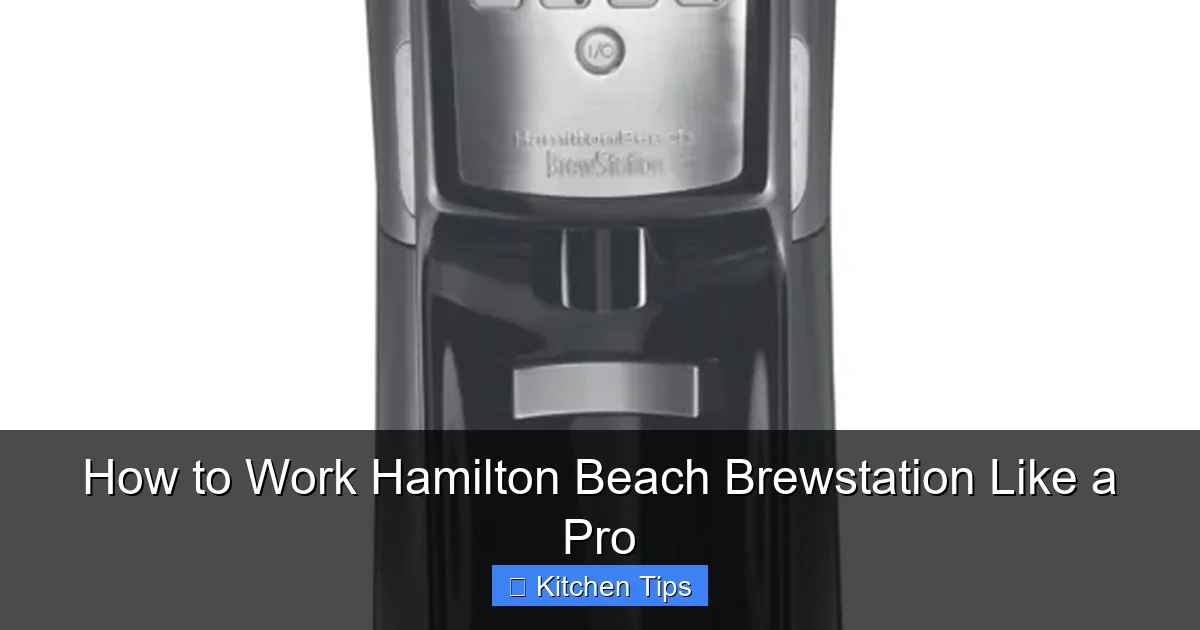
If you’ve recently brought home a Hamilton Beach Brewstation, congratulations—you’ve chosen a coffee maker that’s built for convenience, consistency, and clutter-free brewing. Unlike traditional drip machines that rely on a glass carafe, the Brewstation uses a patented reservoir system that dispenses coffee directly into your cup, eliminating spills, drips, and the need to juggle a hot carafe. Whether you’re a coffee newbie or a seasoned home barista, mastering this machine can transform your morning routine.
But here’s the thing: even the best coffee makers need to be used correctly to deliver their full potential. The Hamilton Beach Brewstation may look simple, but it has features and quirks that, when understood, can elevate your coffee game. From setting up the machine for the first time to troubleshooting common issues, this guide will walk you through everything you need to know. We’ll cover brewing basics, maintenance tips, programming tricks, and even how to customize your coffee to suit your taste. By the end, you’ll be brewing like a pro—no barista certification required.
Key Takeaways
- Understand the Brewstation’s unique design: Unlike traditional drip coffee makers, it uses a reservoir system with no carafe, reducing spills and heat loss.
- Proper water and coffee measurements matter: Use the correct ratios to avoid weak or bitter coffee—1 tablespoon of ground coffee per 6 ounces of water is ideal.
- Pre-wet your filter for better flavor: Rinsing the paper filter before brewing removes paper taste and improves coffee quality.
- Clean regularly to maintain performance: Run a vinegar cleaning cycle every 4–6 weeks to prevent mineral buildup and ensure smooth operation.
- Use the programmable timer wisely: Set it the night before for fresh coffee at your desired time—just remember to add water and coffee beforehand.
- Experiment with grind size and brew strength: Adjust based on your taste—finer grinds for stronger coffee, coarser for milder flavor.
- Store leftover coffee properly: The Brewstation keeps coffee hot for hours, but for best taste, consume within 2 hours or transfer to a thermal carafe.
Quick Answers to Common Questions
Can I use a reusable filter in the Hamilton Beach Brewstation?
Yes, many Brewstation models support reusable mesh filters. Just make sure it’s clean and properly seated before brewing.
How much coffee should I use for a 10-cup Brewstation?
Use about 10 tablespoons of medium-ground coffee for a full 10-cup brew. Adjust to taste—some prefer a stronger or milder cup.
Why does my coffee taste bitter?
Bitterness can result from over-extraction. Try using a coarser grind, reducing brew time, or selecting a lower strength setting.
Can I brew tea in the Hamilton Beach Brewstation?
It’s not recommended. The machine is designed for coffee, and brewing tea can leave residues that affect future coffee flavor.
How often should I descale my Brewstation?
Descale every 4–6 weeks if you have hard water, or every 8–10 weeks with soft water. Regular descaling prevents clogs and maintains performance.
📑 Table of Contents
Getting Started: First-Time Setup
Before you brew your first cup, it’s important to set up your Hamilton Beach Brewstation correctly. This ensures optimal performance and prevents common beginner mistakes.
Unboxing and Initial Cleaning
When you first unbox your Brewstation, you’ll find the main unit, a water reservoir, a brew basket, and a reusable filter (or space for a paper filter, depending on the model). Start by washing all removable parts—the brew basket, water reservoir, and any included filter—with warm, soapy water. Rinse thoroughly to remove any manufacturing residues. This step is crucial because leftover particles or soap can affect the taste of your coffee.
Once clean, reassemble the parts and plug in the machine. Run a full cycle with just water (no coffee) to flush out any internal residues. This “burn-in” cycle helps prepare the machine for regular use and ensures your first cup tastes clean and fresh.
Understanding the Control Panel
The Brewstation’s control panel is straightforward but packed with useful features. Most models include buttons for:
– Brew: Starts the brewing process.
– Strength: Lets you choose between regular, bold, or extra bold.
– Program: Allows you to set a delayed start time.
– Auto Shutoff: Turns the machine off after 2 hours (on most models).
Take a moment to familiarize yourself with these buttons. The strength selector is especially useful—if your coffee tastes too weak, try the “bold” setting, which slows the water flow for a richer extraction.
Brewing Your First Cup: Step-by-Step
Visual guide about How to Work Hamilton Beach Brewstation Like a Pro
Image source: hamiltonbeach.com
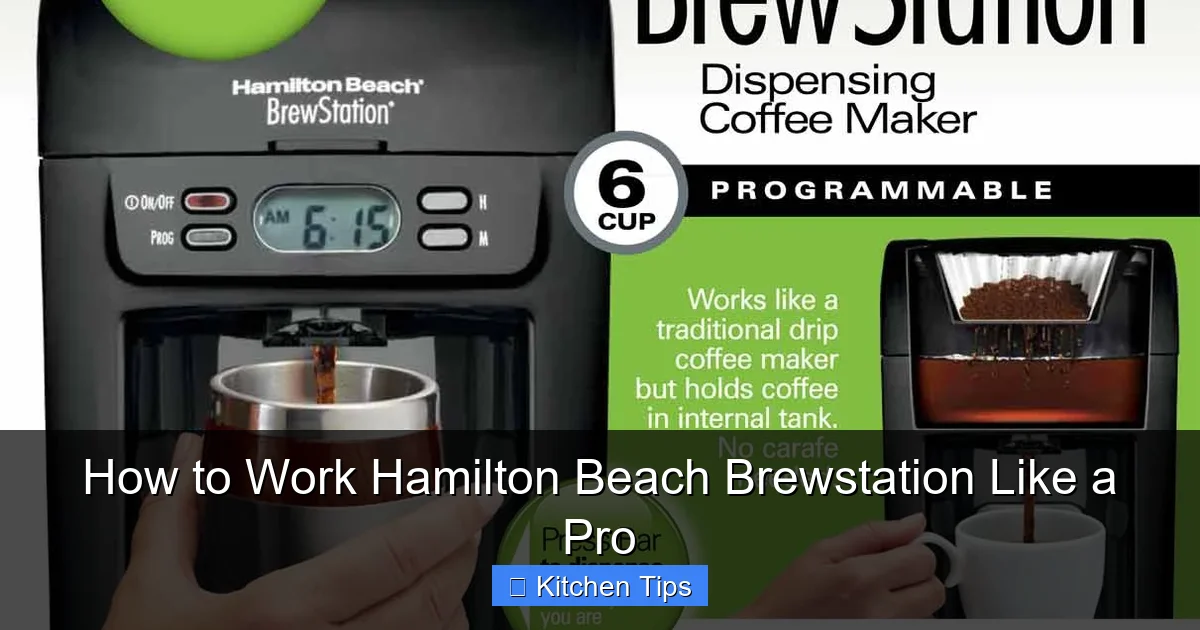
Now that your machine is set up, it’s time to brew. Follow these steps for a perfect cup every time.
Step 1: Add Water
Lift the water reservoir lid and fill it with fresh, cold water. Use the markings inside the reservoir to measure the amount based on how many cups you want. For example, 4 cups = about 20 ounces. Avoid using hot or distilled water—cold tap water is best for flavor and machine longevity.
Step 2: Insert the Filter
Place a #2 cone-shaped paper filter into the brew basket. If your model includes a reusable mesh filter, make sure it’s clean and properly seated. Pro tip: Rinse the paper filter with hot water before adding coffee. This removes any paper taste and preheats the basket, leading to better extraction.
Step 3: Add Coffee Grounds
Use 1 tablespoon of medium-ground coffee per 6 ounces of water. For a 10-cup pot, that’s about 10 tablespoons. Adjust to taste—some prefer a stronger brew, so don’t be afraid to experiment. Avoid using finely ground espresso unless you’re using the bold setting, as it can lead to over-extraction and bitterness.
Step 4: Start Brewing
Close the lid, select your brew strength, and press the “Brew” button. The machine will heat the water and begin dripping it through the coffee grounds into the internal reservoir. Once brewing is complete, the coffee stays hot and ready to dispense.
Step 5: Dispense and Enjoy
Place your mug under the dispenser spout and press the lever. The Brewstation will pour a steady stream of coffee—no carafe needed. The built-in warming plate keeps the coffee hot for up to 2 hours, but for the best flavor, drink it within that window.
Using the Programmable Timer Like a Pro
Visual guide about How to Work Hamilton Beach Brewstation Like a Pro
Image source: ezj4bun7qv8.exactdn.com
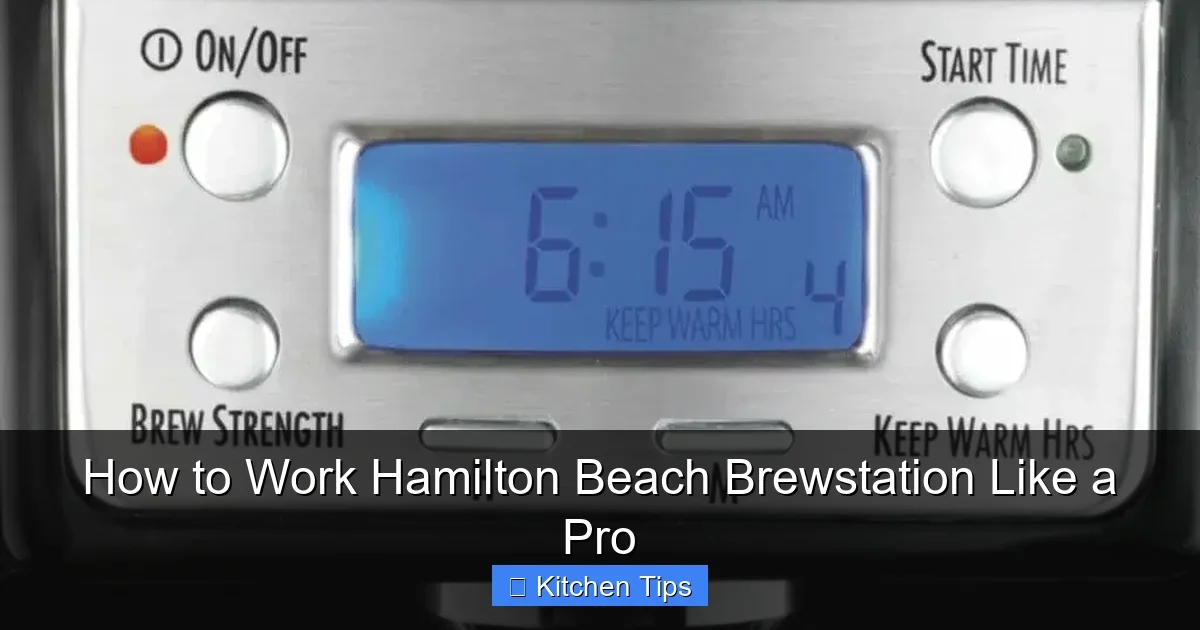
One of the Brewstation’s standout features is its programmable timer, which lets you wake up to freshly brewed coffee. Here’s how to use it effectively.
Setting the Clock
Before programming, make sure the clock is set correctly. Press and hold the “Program” button until the display flashes, then use the “+” and “-” buttons to adjust the time. Press “Program” again to save.
Programming the Brew Time
To set a delayed brew:
1. Add water and coffee to the machine the night before.
2. Press “Program” until the display shows the desired brew time.
3. Adjust using the “+” and “-” buttons.
4. Press “Program” to confirm.
The machine will automatically start brewing at the set time. Just make sure the “Auto Brew” light is on—this indicates the timer is active.
Tips for Best Results
– Use freshly ground coffee for the best flavor, but if using pre-ground, store it in an airtight container.
– Don’t overfill the water reservoir—leave a little space to prevent overflow during heating.
– If you’re brewing a large batch, consider using the “bold” setting to maintain strength.
Customizing Your Brew: Strength, Grind, and More
Visual guide about How to Work Hamilton Beach Brewstation Like a Pro
Image source: static-data2.manualslib.com
The Hamilton Beach Brewstation isn’t just convenient—it’s customizable. With a few tweaks, you can tailor your coffee to your exact preferences.
Choosing the Right Grind Size
Grind size plays a huge role in flavor. For the Brewstation, a medium grind works best. Too fine, and the water flows too slowly, leading to bitter coffee. Too coarse, and the water rushes through, resulting in a weak brew. If you’re using a burr grinder, aim for a setting similar to table salt.
Adjusting Brew Strength
The “Strength” button lets you choose between regular, bold, and extra bold. The bold setting slows the water flow, allowing more time for extraction. This is great for dark roasts or if you like a stronger cup. The extra bold setting is ideal for those who enjoy a rich, full-bodied coffee.
Experimenting with Coffee-to-Water Ratio
While 1 tablespoon per 6 ounces is a good starting point, feel free to adjust. If your coffee tastes weak, try 1.5 tablespoons per 6 ounces. Keep a journal of your ratios and results to find your sweet spot.
Using Flavored or Specialty Coffees
The Brewstation handles flavored and specialty coffees well. Just be sure to clean the machine thoroughly afterward, as oils from flavored beans can build up and affect future brews.
Cleaning and Maintenance for Long-Term Performance
Regular cleaning is essential to keep your Brewstation running smoothly and your coffee tasting great.
Daily Cleaning
After each use:
– Remove and rinse the brew basket and filter.
– Wipe the exterior with a damp cloth.
– Empty any leftover water from the reservoir to prevent stagnation.
Weekly Deep Clean
Once a week, wash the brew basket, reservoir, and dispenser spout with warm, soapy water. Use a soft brush to clean hard-to-reach areas around the spout.
Monthly Descaling
Mineral buildup from hard water can clog the machine and affect performance. Every 4–6 weeks, run a descaling cycle:
1. Fill the reservoir with equal parts white vinegar and water.
2. Run a full brew cycle.
3. Discard the vinegar solution.
4. Run 2–3 cycles with fresh water to rinse.
This simple step can extend the life of your machine and keep your coffee tasting fresh.
Troubleshooting Common Issues
Even the best machines can have hiccups. Here’s how to solve common Brewstation problems.
Coffee Tastes Weak
– Check your coffee-to-water ratio—you may need more grounds.
– Ensure you’re using the correct grind size.
– Try the “bold” or “extra bold” setting.
Machine Won’t Brew
– Make sure it’s plugged in and the water reservoir is filled.
– Check that the brew basket is properly seated.
– Reset the machine by unplugging it for 10 seconds.
Leaking or Dripping
– Ensure the brew basket and filter are correctly installed.
– Check for cracks in the water reservoir.
– Clean the dispenser spout—clogs can cause backpressure.
Timer Not Working
– Confirm the clock is set correctly.
– Make sure the “Auto Brew” light is on.
– Re-program the timer if needed.
Storing and Preserving Coffee Quality
The Brewstation keeps coffee hot for hours, but prolonged heating can degrade flavor. For the best taste:
– Drink coffee within 2 hours of brewing.
– Transfer leftovers to a thermal carafe if storing longer.
– Avoid reheating coffee multiple times—it can make it taste burnt.
Conclusion
The Hamilton Beach Brewstation is more than just a coffee maker—it’s a smart, spill-free solution for busy mornings. By understanding its features, using the right techniques, and maintaining it properly, you can enjoy rich, consistent coffee day after day. Whether you’re programming it for a 6 a.m. wake-up call or experimenting with bold brews, this machine is built to deliver. With the tips in this guide, you’re now equipped to work your Brewstation like a pro. So go ahead—press brew, pour a cup, and savor the difference.
Frequently Asked Questions
How do I clean the Hamilton Beach Brewstation?
Clean the brew basket and reservoir after each use with warm, soapy water. Run a vinegar cleaning cycle monthly to remove mineral buildup and keep the machine running smoothly.
Can I leave coffee in the Brewstation overnight?
While the machine keeps coffee hot for up to 2 hours, it’s best to drink it within that time. Leaving coffee too long can affect flavor and promote bacterial growth.
Why is my Brewstation not dispensing coffee?
Check if the dispenser spout is clogged, the brew basket is properly seated, or the machine has enough water. A simple reset by unplugging it for 10 seconds may also help.
Does the Brewstation have an auto shutoff feature?
Yes, most models automatically shut off after 2 hours to save energy and prevent overheating. This feature enhances safety and convenience.
Can I use pre-ground coffee in the Brewstation?
Absolutely. Pre-ground coffee works well, but for the best flavor, use freshly ground beans and store them in an airtight container to preserve freshness.
How do I program the Brewstation to brew at a specific time?
Set the current time, then press the “Program” button to enter the desired brew time. Confirm the setting, and the machine will start brewing automatically at the scheduled time.