
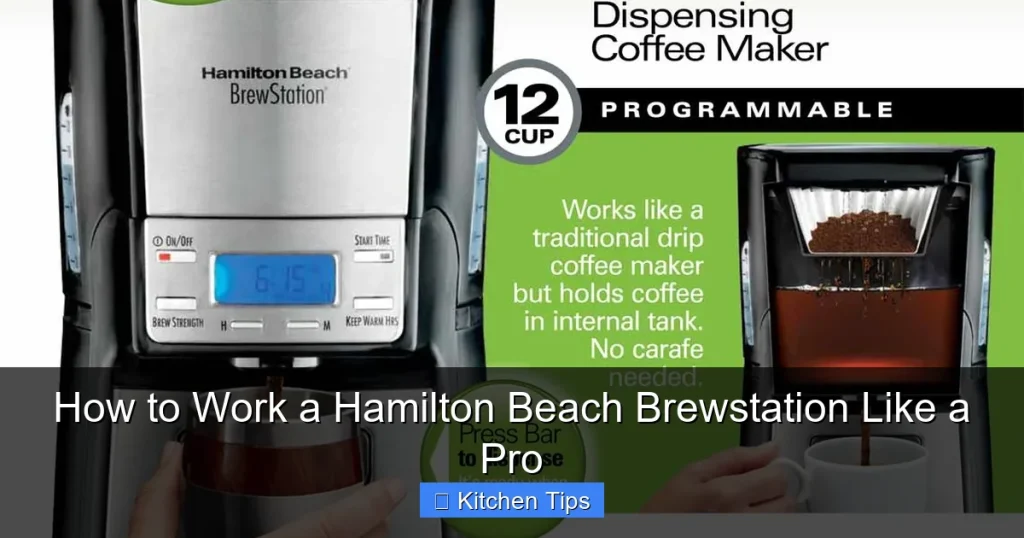

Unlock the full potential of your Hamilton Beach Brewstation with this complete guide. Whether you’re a coffee newbie or a brewing enthusiast, learn how to operate, maintain, and troubleshoot your machine like a pro for consistently delicious coffee.
If you’ve recently brought home a Hamilton Beach Brewstation, congratulations—you’ve chosen one of the most convenient and innovative coffee makers on the market. Unlike traditional drip machines, the Brewstation eliminates the need for a glass carafe, using a built-in dispensing system that delivers coffee directly into your cup. This means no more spills, no more broken glass, and no more guessing how much coffee is left. But like any kitchen appliance, getting the most out of it requires a bit of know-how.
In this guide, we’ll walk you through everything you need to know to work your Hamilton Beach Brewstation like a pro. From initial setup and daily operation to cleaning, troubleshooting, and maximizing its smart features, we’ve got you covered. Whether you’re brewing your first cup or looking to refine your technique, these tips will help you enjoy rich, consistent coffee every single time.
Key Takeaways
- Understand the Brewstation Design: The Hamilton Beach Brewstation uses a unique no-drip dispensing system instead of a carafe, making it ideal for quick, mess-free brewing.
- Proper Setup Is Key: Always rinse the water reservoir and brew basket before first use to remove any manufacturing residues.
- Use the Right Coffee-to-Water Ratio: For balanced flavor, use 1 tablespoon of ground coffee per 6 ounces of water—adjust to taste.
- Clean Regularly to Prevent Buildup: Run a vinegar cleaning cycle every 4–6 weeks to remove mineral deposits and maintain optimal performance.
- Dispense Coffee Without Spills: Press your cup firmly against the dispensing lever and avoid overfilling to prevent drips and splashes.
- Troubleshoot Common Issues: If your coffee tastes weak or the machine won’t brew, check the water level, filter placement, and power connection.
- Maximize Convenience Features: Use the programmable timer to wake up to freshly brewed coffee and the bold setting for a stronger cup.
Quick Answers to Common Questions
Can I use my own mug with the Brewstation?
Yes! The dispensing spout is designed to work with most standard mugs. Just press the mug firmly against the lever to activate the pump.
Do I need to use a paper filter?
No, the Brewstation comes with a reusable mesh filter. You can use paper filters if you prefer, but the mesh filter is eco-friendly and cost-effective.
How long does it take to brew a full pot?
It typically takes 6–8 minutes to brew 4–10 cups, depending on the model and settings.
Can I leave coffee in the Brewstation overnight?
It’s not recommended. Coffee can stale quickly and may develop off-flavors. Transfer leftovers to a thermal carafe if needed.
Is the Brewstation dishwasher safe?
The brew basket and mesh filter are top-rack dishwasher safe, but the main unit should never be submerged in water.
📑 Table of Contents
Getting Started: Setting Up Your Brewstation
Before you brew your first cup, it’s important to properly set up your Hamilton Beach Brewstation. This ensures clean, great-tasting coffee and helps prevent any issues down the line.
Unboxing and Initial Inspection
When you first unbox your Brewstation, take a moment to inspect all the components. You should have the main brewing unit, a reusable mesh filter (or space for a paper filter), a water reservoir, and a user manual. Make sure nothing is cracked or damaged. If you notice any issues, contact Hamilton Beach customer support immediately.
Rinsing Before First Use
Even though your machine is new, it’s essential to rinse it before brewing. Fill the water reservoir with clean, cold water and run a full brew cycle without adding coffee. This flushes out any dust or residues from manufacturing. Discard the water afterward—don’t drink it! Repeat this process once more to be safe.
Choosing the Right Location
Place your Brewstation on a flat, heat-resistant surface away from the edge of the counter. Make sure there’s at least 6 inches of clearance above the machine for the lid to open fully. Also, keep it away from sinks, stovetops, and direct sunlight to avoid water damage or overheating.
How to Brew Coffee: Step-by-Step Instructions

Visual guide about How to Work a Hamilton Beach Brewstation Like a Pro
Image source: ezj4bun7qv8.exactdn.com
Now that your Brewstation is set up, let’s dive into the brewing process. It’s simple, but following these steps ensures the best results every time.
Step 1: Add Water
Lift the lid and fill the water reservoir with cold, fresh water. Use the markings inside the reservoir to measure the amount based on how many cups you want to brew. For example, 4 cups = about 20 ounces. Avoid using hot water—it can affect the brewing temperature and flavor.
Step 2: Insert the Filter
Open the brew basket by lifting the handle. If you’re using a paper filter, place it in the basket and rinse it with hot water to remove any paper taste. Alternatively, use the reusable mesh filter that came with your machine—just make sure it’s clean. The mesh filter is eco-friendly and saves money over time.
Step 3: Add Coffee Grounds
Add your ground coffee to the filter. A standard ratio is 1 tablespoon of coffee per 6 ounces of water. So for 4 cups (24 ounces), use about 4 tablespoons. If you prefer stronger coffee, go up to 1.5 tablespoons per 6 ounces—but avoid overpacking, as this can clog the filter and slow brewing.
Step 4: Close the Lid and Select Settings
Close the brew basket and the main lid securely. If your model has a “Bold” setting, press it for a richer, more intense brew. This setting slows the water flow, allowing more time for extraction. Then, press the “Brew” button to start the cycle.
Step 5: Dispense Your Coffee
Once brewing is complete, place your mug under the dispensing spout. Press the lever firmly with the bottom of your cup—this activates the pump that pushes coffee out. Hold the cup steady and avoid lifting it too early. The Brewstation dispenses quickly, so be ready! You can dispense multiple cups without reheating, thanks to the insulated tank.
Using Advanced Features Like a Pro

Visual guide about How to Work a Hamilton Beach Brewstation Like a Pro
Image source: i.ytimg.com
The Hamilton Beach Brewstation isn’t just a basic coffee maker—it comes with smart features that make your mornings easier and your coffee better.
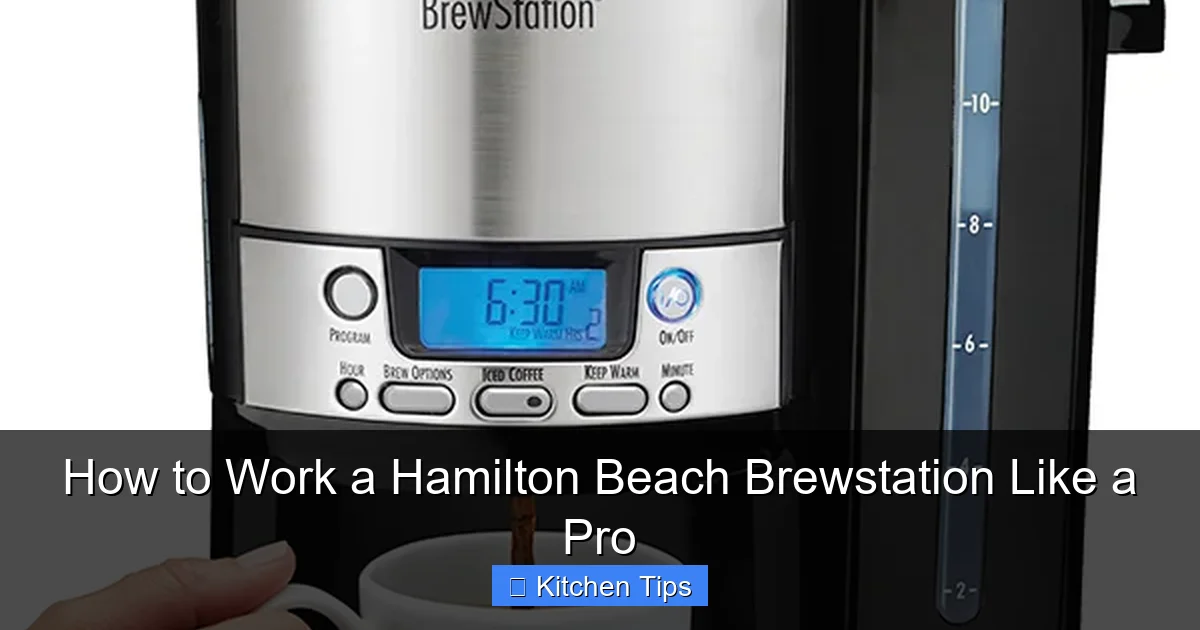
Programmable Timer
One of the best features is the programmable timer. Set it the night before, and your Brewstation will automatically start brewing at your chosen time. To use it:
- Press and hold the “Timer” button until the display blinks.
- Use the “+” and “–” buttons to set the desired brew time.
- Press “Timer” again to confirm.
- Add water and coffee the night before, then press “Auto” to activate.
Wake up to the rich aroma of freshly brewed coffee—no effort required.
Bold Brew Setting
If you like your coffee strong, the “Bold” setting is your best friend. It adjusts the water flow rate to extract more flavor from the grounds. Use it when brewing dark roasts or when you’re serving guests who prefer a robust cup. Just remember: bold doesn’t mean bitter—use quality beans and the right grind size (medium-fine works best).
Auto Shut-Off
For safety and energy efficiency, most Brewstation models include an auto shut-off feature that turns the machine off after 2 hours. This prevents overheating and saves electricity. If you’re brewing a large batch and want to keep it warm longer, consider transferring the coffee to a thermal carafe.
Cleaning and Maintenance Tips
Visual guide about How to Work a Hamilton Beach Brewstation Like a Pro
Image source: hamiltonbeach.com
Regular cleaning is crucial to keep your Brewstation performing at its best and to prevent stale or bitter-tasting coffee.
Daily Cleaning Routine
After each use, remove and rinse the brew basket and filter. Wipe the exterior with a damp cloth. If you used a paper filter, discard it. If using the mesh filter, wash it with warm, soapy water and let it air dry. Never leave wet grounds in the basket—they can mold and affect future brews.
Deep Cleaning with Vinegar
Every 4–6 weeks, run a cleaning cycle to remove mineral buildup from hard water. Here’s how:
- Fill the reservoir with equal parts white vinegar and water (e.g., 2 cups vinegar + 2 cups water).
- Run a full brew cycle.
- Let the solution sit in the machine for 15–20 minutes.
- Run 2–3 cycles with fresh water to rinse out all vinegar residue.
This process keeps the internal components clean and ensures your coffee tastes fresh.
Descaling for Hard Water Areas
If you live in an area with hard water, you may need to descale more frequently—every 2–3 weeks. Use a commercial descaling solution or follow the vinegar method above. Ignoring mineral buildup can lead to slower brewing, clogs, and even machine failure.
Troubleshooting Common Issues
Even the best machines can have hiccups. Here’s how to solve the most common Brewstation problems.
Coffee Tastes Weak or Watery
This is usually due to too little coffee or too coarse a grind. Try increasing the amount of grounds or switching to a finer grind. Also, make sure you’re using the correct water-to-coffee ratio. If the problem persists, check if the filter is clogged or if the machine needs cleaning.
Machine Won’t Brew
First, check that it’s plugged in and the power button is on. Ensure the water reservoir is filled and the lid is closed properly. If the display shows an error code, consult the manual. Sometimes, a simple reset—unplugging for 30 seconds—can fix the issue.
Leaking or Dripping
Leaks often happen if the dispensing lever isn’t pressed firmly or if the brew basket isn’t seated correctly. Make sure the basket clicks into place and that you’re pressing the cup fully against the lever. Also, avoid overfilling the water reservoir.
Slow Dispensing
If coffee comes out slowly, the filter may be clogged. Clean or replace it. Mineral buildup in the pump can also slow dispensing—run a vinegar cleaning cycle to clear it.
Pro Tips for the Best Coffee Experience
Now that you know the basics, here are some expert tips to elevate your Brewstation game.
Use Fresh, Quality Beans
The secret to great coffee starts with great beans. Buy whole beans and grind them just before brewing for maximum flavor. Store beans in an airtight container away from light and heat.
Experiment with Grind Size
A medium-fine grind works best for the Brewstation. Too fine, and it clogs; too coarse, and the coffee tastes weak. Adjust based on your taste preferences.
Pre-Heat Your Mug
Run hot water in your mug for 30 seconds before dispensing. This keeps your coffee hotter longer and enhances the drinking experience.
Try Different Brew Strengths
Use the “Bold” setting for mornings when you need an extra kick, and regular brew for lighter, smoother cups in the afternoon. You can also mix decaf and regular grounds for a custom blend.
Keep a Brew Log
Track your ratios, grind sizes, and settings to find your perfect cup. Note what works and what doesn’t—this helps you refine your technique over time.
Conclusion
Mastering your Hamilton Beach Brewstation doesn’t have to be complicated. With the right setup, brewing technique, and maintenance routine, you can enjoy café-quality coffee from the comfort of your kitchen. Its innovative no-carafe design, programmable features, and easy cleanup make it a standout choice for busy households and coffee lovers alike.
By following this guide, you’re not just learning how to work a Hamilton Beach Brewstation—you’re learning how to work it like a pro. So go ahead, brew with confidence, and savor every sip.
Frequently Asked Questions
How do I clean the inside of the Brewstation?
Run a cycle with equal parts white vinegar and water, let it sit for 15–20 minutes, then rinse with 2–3 cycles of fresh water. This removes mineral buildup and keeps the machine fresh.
Why is my coffee dripping after dispensing?
This usually happens if the cup isn’t pressed firmly against the lever or if the brew basket isn’t sealed properly. Make sure everything is aligned and pressed correctly.
Can I brew tea in the Hamilton Beach Brewstation?
It’s not recommended. The machine is designed for coffee, and using tea leaves can clog the filter and affect future brews.
What grind size should I use?
A medium-fine grind works best—similar to table salt. Too fine can clog the filter; too coarse results in weak coffee.
How often should I descale my Brewstation?
Every 4–6 weeks for normal use, or every 2–3 weeks if you have hard water. Regular descaling prevents clogs and maintains performance.
Can I program it to brew at 6 AM?
Yes! Use the programmable timer to set your desired brew time the night before. Just add water and coffee, press “Auto,” and wake up to fresh coffee.