
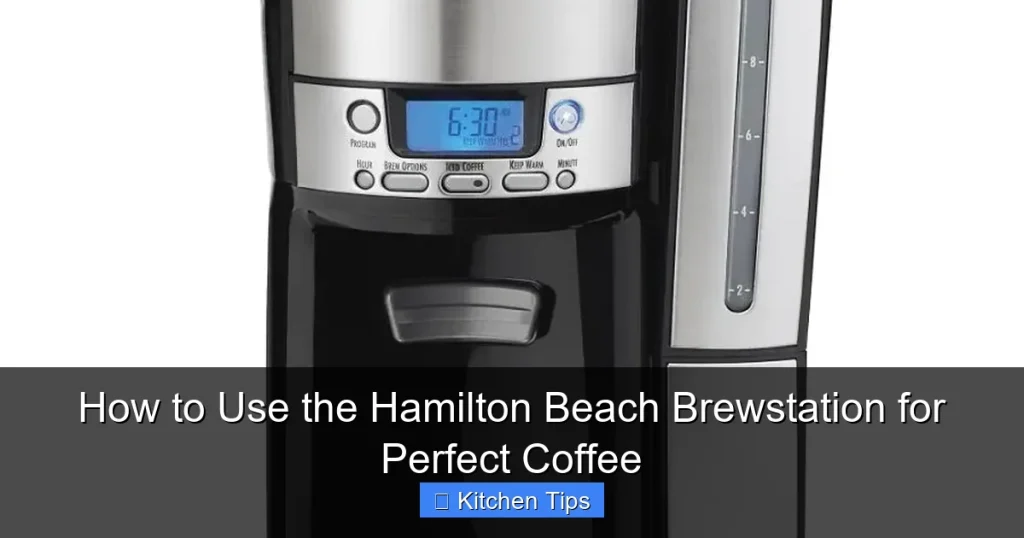

Master your Hamilton Beach Brewstation with this easy guide to brewing rich, flavorful coffee without the drip mess. From setup to daily use and maintenance, we’ll show you how to get the most out of your coffee maker for a consistently great cup.
If you’ve recently brought home a Hamilton Beach Brewstation, congratulations—you’ve chosen a coffee maker that blends simplicity, innovation, and great taste. Whether you’re a morning coffee ritualist or someone who just needs a reliable cup to kickstart the day, this machine is designed to deliver. Unlike traditional drip coffee makers, the Brewstation eliminates the messy drip by using a unique “pour-over” brewing system that dispenses coffee directly into your cup—no carafe required. That means no spills, no burnt coffee from a hot plate, and no guessing how much is left in the pot.
But how do you get the most out of this clever machine? While it’s incredibly user-friendly, a few tips and tricks can elevate your coffee game from “good” to “great.” In this guide, we’ll walk you through everything you need to know—from unboxing and setup to daily brewing, cleaning, and troubleshooting. By the end, you’ll be brewing like a pro, enjoying rich, aromatic coffee with minimal effort.
Key Takeaways
- Easy one-button brewing: The Hamilton Beach Brewstation uses a unique no-drip design—just press and pour for mess-free coffee.
- Programmable convenience: Set it up the night before and wake up to freshly brewed coffee with the 24-hour programmable timer.
- Consistent temperature control: The thermal carafe keeps coffee hot for hours without a warming plate, preserving flavor.
- Simple cleaning process: Removable parts and a self-cleaning cycle make maintenance quick and hassle-free.
- Customizable brew strength: Use the “Bold” setting for a stronger cup or adjust grind size and coffee-to-water ratio for personal taste.
- Space-saving design: Compact footprint fits well on countertops, ideal for small kitchens or offices.
- Eco-friendly operation: No paper filters needed—uses a reusable mesh filter to reduce waste.
Quick Answers to Common Questions
How do I clean the Hamilton Beach Brewstation?
Clean the mesh filter and carafe daily with warm, soapy water. Run a vinegar-water solution weekly to remove buildup, followed by 2–3 rinse cycles.
Can I use paper filters with the Brewstation?
No, the Brewstation is designed for the reusable mesh filter. Using paper filters can cause overflow or clogging.
How much coffee should I use per cup?
Use 1 tablespoon of ground coffee per cup. Adjust to taste—more for stronger coffee, less for milder.
Does the Brewstation have a warming plate?
No, it uses a thermal carafe to keep coffee hot for up to 2 hours without a warming plate, preventing burnt flavors.
Can I brew just one cup?
Yes! The Brewstation dispenses coffee directly into your mug, so you can brew a single cup or a full pot.
📑 Table of Contents
- Getting Started: Unboxing and Initial Setup
- How to Brew Coffee with the Hamilton Beach Brewstation
- Using the Programmable Timer for Morning Convenience
- Cleaning and Maintenance for Long-Term Performance
- Troubleshooting Common Issues
- Why the Hamilton Beach Brewstation Stands Out
- Final Thoughts: Enjoying Perfect Coffee Every Day
Getting Started: Unboxing and Initial Setup
Before you take your first sip, it’s important to properly set up your Hamilton Beach Brewstation. The initial setup ensures your machine runs smoothly and your coffee tastes its best from day one.
What’s in the Box?
When you open the box, you’ll find:
– The Brewstation coffee maker
– A thermal carafe (holds up to 10 cups)
– Reusable mesh filter
– Water reservoir lid
– User manual and quick-start guide
Take a moment to inspect all parts for any damage during shipping. Most Brewstation models are compact, measuring around 12 inches tall and 8 inches wide, making them ideal for small spaces.
First-Time Setup Steps
1. Wash the carafe and filter: Rinse the thermal carafe and reusable mesh filter with warm, soapy water. This removes any manufacturing residues.
2. Fill the water reservoir: Lift the lid on top of the machine and pour in cold, fresh water up to your desired cup level (marked inside the reservoir).
3. Insert the filter: Place the mesh filter into the filter basket—no paper filter needed.
4. Add coffee grounds: Use 1 tablespoon of ground coffee per cup (adjust to taste). For a 10-cup brew, that’s about 10 tablespoons.
5. Run a cleaning cycle: Before your first brew, run a cycle with just water (no coffee) to flush out any internal residues. This ensures your first cup tastes clean and fresh.
Pro tip: Always use freshly ground coffee for the best flavor. If you’re using pre-ground, opt for a medium grind—too fine can clog the mesh filter, and too coarse may result in weak coffee.
How to Brew Coffee with the Hamilton Beach Brewstation

Visual guide about How to Use the Hamilton Beach Brewstation for Perfect Coffee
Image source: kitchenseer.com
Brewing with the Hamilton Beach Brewstation is refreshingly simple. The machine’s standout feature is its “no-drip” pouring system—instead of dripping into a carafe, coffee is dispensed directly into your mug when you press the lever. This means you can brew one cup or a full pot, and there’s no stale coffee sitting on a hot plate.
Step-by-Step Brewing Process
1. Fill the water reservoir: Add cold water to the desired level. The reservoir is clearly marked with cup measurements (usually 4 to 10 cups).
2. Add coffee grounds: Scoop your preferred amount of ground coffee into the mesh filter. Level it off—don’t pack it down.
3. Close the lid and select brew strength: Most models have a “Bold” button for stronger coffee. Press it if you like a richer flavor.
4. Press the brew button: The machine will begin heating and brewing. This usually takes 5–7 minutes for a full pot.
5. Pour your coffee: Once brewing is complete, place your mug under the spout and press the lever to dispense. The flow stops automatically when you release.
Brewing Tips for the Best Flavor
– Use filtered water: Tap water with high mineral content can affect taste and buildup in the machine. Filtered or bottled water makes a noticeable difference.
– Grind size matters: A medium grind works best. If your coffee tastes weak, try a finer grind. If it’s bitter or slow to brew, go coarser.
– Don’t overfill: Stick to the recommended coffee-to-water ratio. Overloading can cause overflow or weak coffee.
– Preheat your mug: Rinse your cup with hot water before pouring. This keeps your coffee hotter longer, especially since the thermal carafe doesn’t have a warming plate.
Example: If you’re brewing 6 cups, use 6 tablespoons of coffee and fill the reservoir to the 6-cup line. Press “Bold” for a stronger brew, and you’ll have a rich, full-bodied cup in under 7 minutes.
Using the Programmable Timer for Morning Convenience

Visual guide about How to Use the Hamilton Beach Brewstation for Perfect Coffee
Image source: redefiningmom.com
One of the Brewstation’s most beloved features is its 24-hour programmable timer. This lets you set it up the night before and wake up to the aroma of freshly brewed coffee—no waiting, no hassle.
How to Set the Timer
1. Press the “Prog” button: This enters programming mode.
2. Set the brew time: Use the hour and minute buttons to select when you want brewing to start (e.g., 6:30 AM).
3. Confirm and exit: Press “Prog” again to save. The display will show the set time.
4. Prepare the night before: Add water and coffee grounds, then press “Auto” to activate the timer.
Tips for Successful Timed Brewing
– Use fresh ingredients: Don’t let coffee grounds sit in the filter overnight—they can lose flavor. If possible, add grounds just before brewing.
– Check the water level: Make sure the reservoir is full. Running out of water mid-brew can damage the machine.
– Keep the carafe warm: The thermal carafe retains heat for up to 2 hours. For longer warmth, pour into a preheated travel mug.
Many users love setting their Brewstation for 6:45 AM, so they can grab a cup the moment they walk into the kitchen. It’s a small luxury that makes mornings smoother.
Cleaning and Maintenance for Long-Term Performance

Visual guide about How to Use the Hamilton Beach Brewstation for Perfect Coffee
Image source: coffeemakered.com
Like any coffee maker, the Hamilton Beach Brewstation needs regular cleaning to prevent buildup and ensure great-tasting coffee. The good news? It’s designed for easy maintenance.
Daily Cleaning Routine
– Empty the used grounds: After brewing, remove the mesh filter and discard the grounds. Rinse the filter under warm water.
– Wipe the exterior: Use a damp cloth to clean the outside of the machine and the dispensing spout.
– Rinse the carafe: Wash the thermal carafe with warm, soapy water. Avoid abrasive sponges that can scratch the interior.
Weekly Deep Cleaning
1. Run a vinegar solution: Mix equal parts white vinegar and water. Pour into the reservoir and run a full brew cycle.
2. Rinse thoroughly: Run 2–3 cycles with fresh water to remove any vinegar taste.
3. Clean the filter basket: Remove and wash the filter basket with soap and water. Check for clogs in the mesh.
Monthly Maintenance
– Descale if needed: If you notice slower brewing or a burnt taste, your machine may need descaling. Use a commercial descaling solution or follow the vinegar method above.
– Inspect the water reservoir: Look for mineral deposits. Scrub gently with a soft brush if necessary.
Pro tip: Never put the carafe or filter in the dishwasher—the high heat can warp or damage them. Hand washing is best.
Troubleshooting Common Issues
Even the best machines can have hiccups. Here’s how to solve the most common Brewstation problems.
Coffee Tastes Weak or Bitter
– Weak coffee: You may be using too little coffee or too coarse a grind. Increase the amount or try a finer grind.
– Bitter coffee: Over-extraction can happen with too fine a grind or too much coffee. Reduce the amount or use a coarser grind.
Machine Won’t Brew
– Check that the water reservoir is filled.
– Ensure the filter is properly seated.
– Make sure the power cord is plugged in and the outlet is working.
Leaking or Dripping
– The spout may be clogged. Clean it with a toothpick or small brush.
– The carafe lid might not be sealed properly. Ensure it’s closed tightly.
Timer Not Working
– Confirm the current time is set correctly.
– Make sure the “Auto” button is pressed after programming.
– Check that the machine is plugged in and powered on.
Most issues are easy fixes—often just a matter of cleaning or reconfiguring settings.
Why the Hamilton Beach Brewstation Stands Out
With so many coffee makers on the market, what makes the Brewstation special? It’s the combination of innovation, convenience, and consistent quality.
No-Drip Design
Unlike traditional drip machines, the Brewstation dispenses coffee directly into your cup. This eliminates the need for a carafe, reduces mess, and prevents coffee from sitting and getting bitter.
Thermal Carafe Advantage
The double-walled stainless steel carafe keeps coffee hot without a warming plate. That means no burnt taste—just smooth, flavorful coffee for hours.
Eco-Friendly and Cost-Effective
The reusable mesh filter means no paper filters to buy or waste. Over time, this saves money and reduces environmental impact.
Compact and Stylish
Its sleek design fits in small kitchens, dorm rooms, or office break rooms. Available in black, stainless steel, and red, it complements any decor.
Whether you’re brewing for one or serving a crowd, the Hamilton Beach Brewstation delivers a reliable, great-tasting cup with minimal effort.
Final Thoughts: Enjoying Perfect Coffee Every Day
Using the Hamilton Beach Brewstation is more than just making coffee—it’s about creating a simple, enjoyable ritual. With its intuitive design, programmable features, and mess-free brewing, it takes the stress out of morning routines. By following this guide, you’ll not only master the basics but also discover tips to enhance flavor, extend machine life, and make every cup a pleasure.
From your first brew to your hundredth, the Brewstation is built to deliver consistency and convenience. So go ahead—press that button, pour yourself a cup, and savor the moment. Great coffee doesn’t have to be complicated. With the right machine and a little know-how, it’s just a brew away.
Frequently Asked Questions
How long does it take to brew a full pot?
It typically takes 5 to 7 minutes to brew a full 10-cup pot, depending on the model and water temperature.
Is the thermal carafe dishwasher safe?
No, the carafe should be hand washed to preserve its insulation and prevent damage from high heat.
Can I use flavored coffee grounds?
Yes, but clean the machine more frequently, as flavored oils can leave residue and affect future brews.
Why is my coffee dripping slowly?
This may be due to a clogged mesh filter or too fine a grind. Clean the filter and try a coarser grind.
How often should I descale my Brewstation?
Descale every 1–3 months, depending on water hardness. Use vinegar or a commercial descaling solution.
What’s the warranty on the Hamilton Beach Brewstation?
Most models come with a 1- to 2-year limited warranty. Check your user manual or Hamilton Beach’s website for details.