


Programming your Hamilton Beach coffee pot doesn’t have to be confusing. With the right steps and a few insider tips, you can set up automatic brewing, adjust strength, and wake up to fresh coffee daily—no guesswork needed.
Key Takeaways
- Understand your model: Hamilton Beach offers programmable and non-programmable models—know which one you have before starting.
- Set the clock first: The timer won’t work without the correct time, so always start here.
- Use the “Auto Brew” feature: This lets you schedule your coffee to brew at a specific time, perfect for busy mornings.
- Adjust brew strength: Some models allow you to choose between regular, bold, or strong settings for personalized flavor.
- Clean regularly: Mineral buildup affects performance—descale monthly for consistent results.
- Use fresh, cold water: Always fill the reservoir with fresh water for the best-tasting coffee.
- Test the program: Run a test cycle with water only to ensure timing and settings work correctly.
Quick Answers to Common Questions
How do I reset my Hamilton Beach coffee maker?
Unplug the machine for 30 seconds, then plug it back in. This often resets the display and clears minor glitches. For full resets, consult your manual.
Can I program my coffee maker the night before?
Yes! Most programmable models allow you to set the auto-brew time up to 24 hours in advance. Just make sure the clock is accurate.
Why won’t my coffee maker turn on?
Check the power cord, outlet, and carafe placement. Some models won’t start if the carafe is missing or the water reservoir is empty.
How often should I clean my coffee maker?
Clean the carafe and basket weekly. Descale with vinegar monthly to prevent mineral buildup and maintain performance.
Can I use a permanent filter with my Hamilton Beach coffee maker?
Yes, if your model supports it. Permanent filters are eco-friendly and cost-effective, but make sure to clean them after each use.
📑 Table of Contents
Why Programming Your Hamilton Beach Coffee Pot Matters
Imagine waking up to the rich aroma of freshly brewed coffee—without lifting a finger. That’s the magic of programming your Hamilton Beach coffee pot. Whether you’re rushing to work, managing a busy household, or just love a perfectly timed cup, knowing how to program your coffee maker turns a simple appliance into a daily convenience.
Hamilton Beach coffee makers are known for their reliability, affordability, and user-friendly design. But many people don’t realize these machines come with powerful programmable features that go beyond just pressing “brew.” From delayed start times to strength control, mastering these functions saves time, enhances flavor, and makes your morning routine smoother. In this guide, we’ll walk you through every step—so you can program your Hamilton Beach coffee pot like a pro.
Know Your Hamilton Beach Coffee Maker Model
Before diving into programming, it’s essential to identify your specific model. Hamilton Beach offers a range of coffee makers, including drip machines, single-serve brewers, and thermal carafe models. Some are fully programmable, while others only have basic brew functions.

Visual guide about How to Program Hamilton Beach Coffee Pot Like a Pro
Image source: morningcoffeejournal.com
Programmable vs. Non-Programmable Models
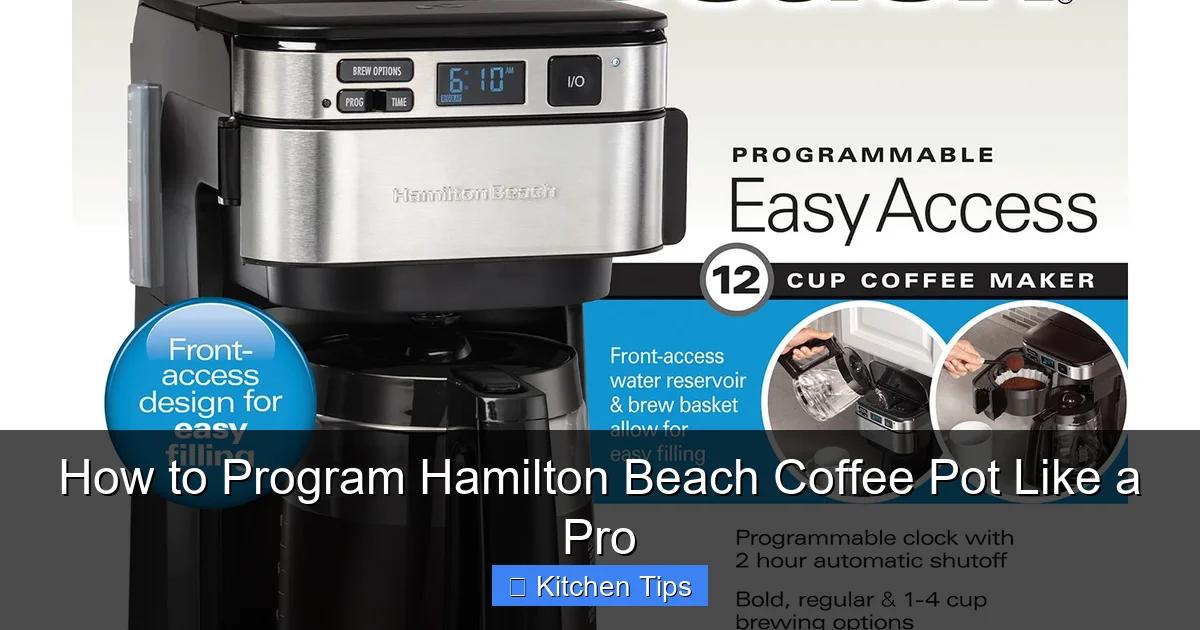
Programmable models typically feature a digital display, clock, and “Auto Brew” button. These allow you to set a brew time up to 24 hours in advance. Non-programmable models usually have a simple on/off switch and may include a “brew now” button, but no timer.
To check your model type, look at the front panel. If you see a digital screen with numbers and buttons like “Set,” “Hour,” “Min,” or “Auto Brew,” you likely have a programmable unit. Common programmable models include the Hamilton Beach 12-Cup Programmable Coffee Maker (49980A) and the 49350 FlexBrew.
Where to Find Your Model Number
The model number is usually printed on a sticker on the bottom or back of the machine. You can also check the user manual or visit the Hamilton Beach website and enter your model number for specific instructions. Knowing your exact model ensures you follow the correct programming steps.
Step-by-Step Guide to Programming Your Coffee Pot
Now that you’ve identified your model, let’s get into the nitty-gritty of programming. The process is simple, but skipping steps—like setting the clock—can cause frustration. Follow these steps carefully for flawless results.
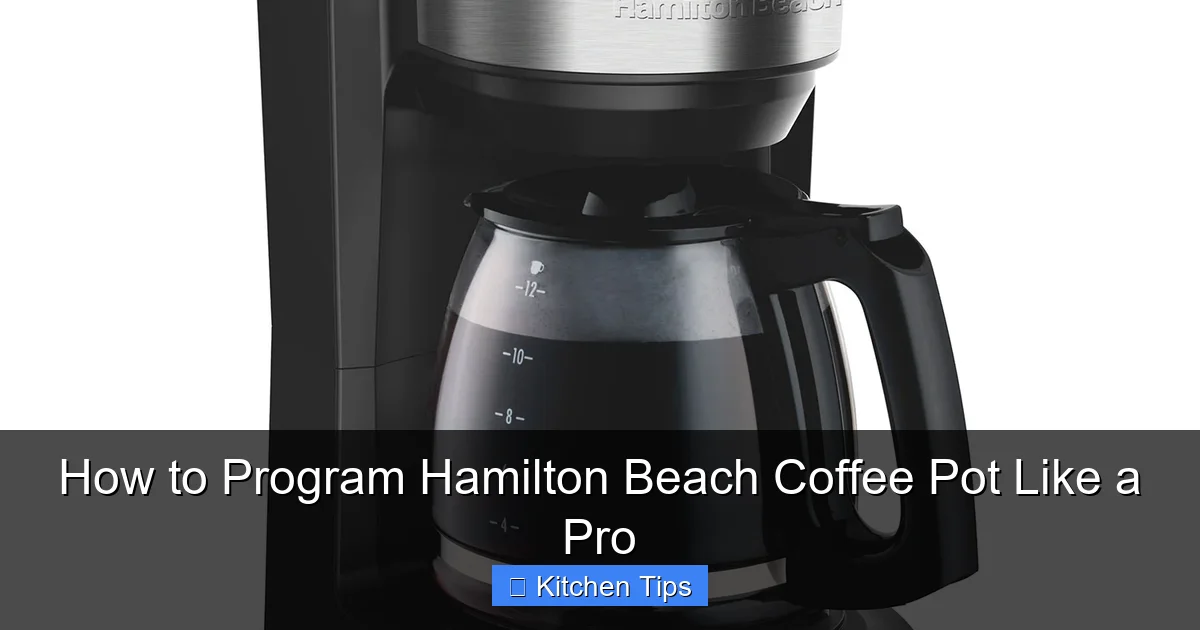
Visual guide about How to Program Hamilton Beach Coffee Pot Like a Pro
Image source: hamiltonbeach.com
Step 1: Set the Clock
The clock is the foundation of all programming. Without it, the timer won’t function. Here’s how to set it:
- Plug in your coffee maker and wait for the display to light up.
- Press and hold the “Set” or “Clock” button until the time starts blinking.
- Use the “Hour” and “Minute” buttons to adjust the current time.
- Press “Set” again to confirm. The clock will stop blinking and stay solid.
Pro Tip: Double-check the AM/PM setting if your model uses a 12-hour format. A common mistake is setting 7:00 AM as 7:00 PM—don’t let that ruin your morning!
Step 2: Prepare for Brewing
Before programming the auto-brew, make sure everything is ready:
- Insert a paper filter into the basket (or use a permanent filter if your model supports it).
- Add your desired amount of ground coffee. A standard ratio is 1 tablespoon per 6 ounces of water.
- Fill the water reservoir with fresh, cold water. Never reuse old water—it can affect taste and cause buildup.
- Place the carafe on the warming plate.
Note: If you’re using a thermal carafe model, make sure it’s clean and preheated (some models have a “pre-heat” function).
Step 3: Program the Auto Brew Time
This is where the magic happens. You’re telling your coffee maker when to start brewing:
- Press the “Auto Brew” or “Timer” button. The display will show “AUTO” or a blinking time.
- Use the “Hour” and “Minute” buttons to set your desired brew time (e.g., 6:30 AM).
- Press “Auto Brew” again to confirm. The light may flash or stay on to indicate it’s set.
Example: If you want coffee ready at 7:00 AM, set the auto brew time to 7:00. The machine will start brewing at that time—even if you’re still in bed.
Step 4: Adjust Brew Strength (If Available)
Many Hamilton Beach models include a “Strength” or “Bold” setting. This lets you customize flavor intensity:
- Look for a button labeled “Strength,” “Bold,” or “Strong.”
- Press it to cycle through options: Regular, Bold, or Strong.
- Choose your preference before starting the brew cycle.
Tip: Use the “Bold” setting for darker roasts or if you prefer a richer taste. For lighter roasts, “Regular” often works best.
Step 5: Start the Program
Once everything is set, press the “Brew” or “Start” button. The machine will begin brewing immediately if the current time matches the auto-brew time. Otherwise, it will wait and start automatically at the scheduled time.
Important: Don’t unplug the coffee maker or turn off the power. The program relies on electricity to keep the timer active.
Troubleshooting Common Programming Issues
Even the best coffee makers can have hiccups. Here’s how to fix the most common problems when programming your Hamilton Beach coffee pot.
Visual guide about How to Program Hamilton Beach Coffee Pot Like a Pro
Image source: hamiltonbeach.com
The Coffee Doesn’t Brew at the Set Time
If your coffee isn’t ready when expected, check these things:
- Is the clock set correctly? A wrong time means the auto-brew won’t trigger.
- Is the “Auto Brew” light on? If not, the program may not be activated.
- Did you press “Brew” after setting the time? Some models require this final step.
- Is the carafe in place? Many machines have a safety sensor that prevents brewing if the carafe is missing.
Quick Fix: Run a test cycle with just water to see if the timer works. If it does, the issue might be with the coffee or filter setup.
The Display Is Blank or Flickering
This usually indicates a power issue:
- Check that the coffee maker is plugged in securely.
- Try a different outlet to rule out electrical problems.
- If the display flickers, the internal battery (if any) may need replacing.
Note: Some models have a backup battery to retain settings during power outages. Consult your manual to see if yours does.
Brew Strength Doesn’t Change
If pressing the “Strength” button doesn’t alter the flavor:
- Ensure you’re pressing the button before brewing starts.
- Some models only allow strength adjustment during the initial setup.
- Clean the brew basket and water lines—mineral buildup can affect water flow and extraction.
Pro Tips for the Perfect Programmed Brew
Programming your coffee maker is just the beginning. These expert tips will elevate your coffee game.
Use Fresh, Quality Ingredients
Even the best programming won’t fix stale coffee or bad water. Use freshly ground beans and filtered water for the cleanest taste. Grind your beans the night before or right before brewing for maximum flavor.
Pre-Heat Your Carafe
Pour hot water into the carafe while the coffee brews. This keeps your coffee hot longer and prevents temperature shock that can affect taste.
Clean Your Machine Weekly
Residue from coffee oils and minerals builds up over time. Clean the brew basket, carafe, and water reservoir weekly with warm, soapy water. Run a vinegar-water solution (1:1 ratio) through a brew cycle monthly to descale.
Experiment with Brew Times
Try setting your auto-brew 10–15 minutes earlier than usual. This gives the coffee time to “bloom” and cool slightly, reducing bitterness and improving flavor.
Keep the Warming Plate Clean
Coffee spills can burn onto the warming plate, creating odors and affecting heat distribution. Wipe it down after each use with a damp cloth.
Conclusion: Master Your Morning Routine
Learning how to program your Hamilton Beach coffee pot isn’t just about convenience—it’s about consistency, flavor, and starting your day right. With the right setup, you can enjoy a perfect cup of coffee every morning without lifting a finger. From setting the clock to adjusting brew strength, each step brings you closer to coffee nirvana.
Remember, every model is a little different, so always refer to your user manual for specific instructions. But with the tips and steps in this guide, you’re well on your way to programming like a pro. So go ahead—set that timer, hit “brew,” and wake up to the rich, inviting aroma of fresh coffee. Your future self will thank you.
Frequently Asked Questions
How do I set the timer on my Hamilton Beach coffee maker?
First, set the correct clock time using the “Set” and “Hour/Minute” buttons. Then press “Auto Brew,” set your desired time, and confirm. The machine will brew automatically at that time.
Why is my programmed coffee not brewing?
Common causes include an incorrect clock setting, the carafe not being in place, or the “Auto Brew” function not being activated. Double-check all settings and ensure the machine is plugged in.
Can I change the brew strength on all Hamilton Beach models?
No, only certain models have a strength control feature. Check your user manual or look for a “Strength” or “Bold” button on the control panel.
How do I clean the water reservoir?
Unplug the machine and wipe the reservoir with a damp cloth. For deeper cleaning, run a cycle with a vinegar-water solution, then rinse with clean water.
What type of coffee grind is best for programming?
A medium grind works best for most drip coffee makers. Too fine can cause over-extraction, while too coarse may result in weak coffee.
Can I pause the brew cycle?
Some models allow a “pause-and-serve” feature, letting you pour a cup mid-brew. Check your manual to see if your model supports this function.